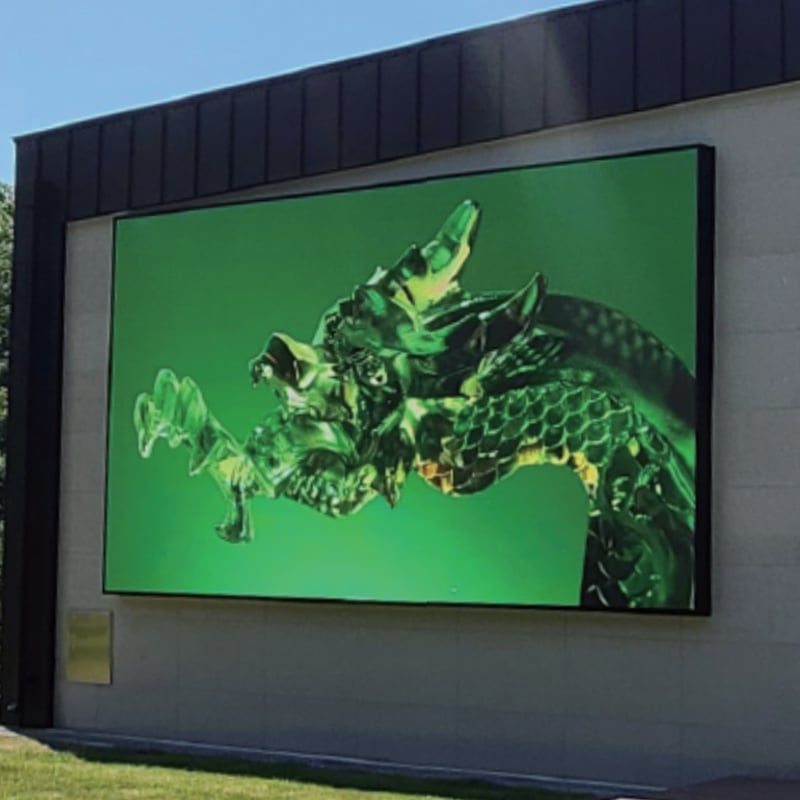
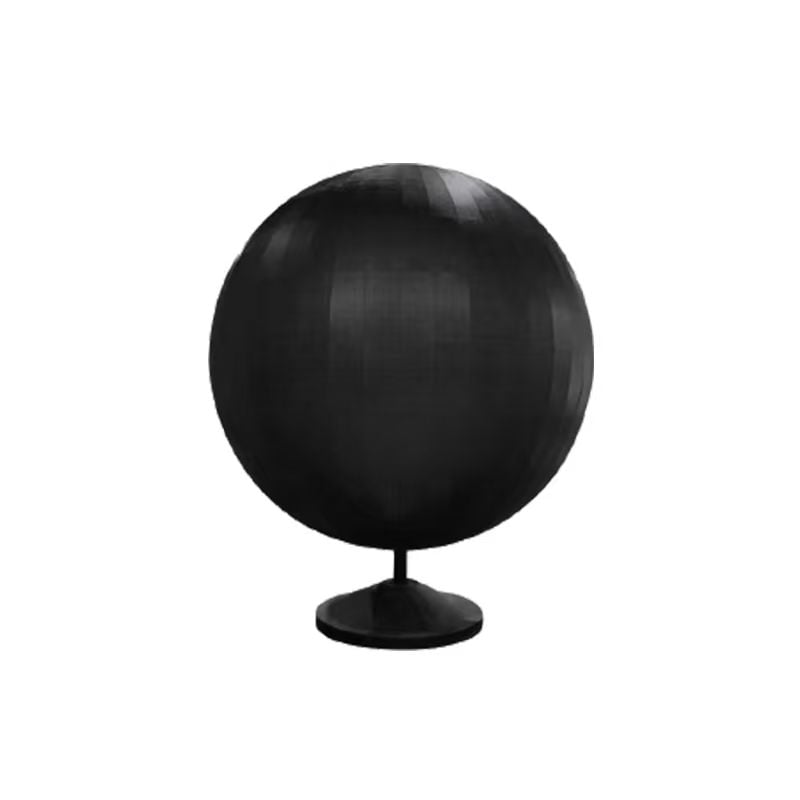
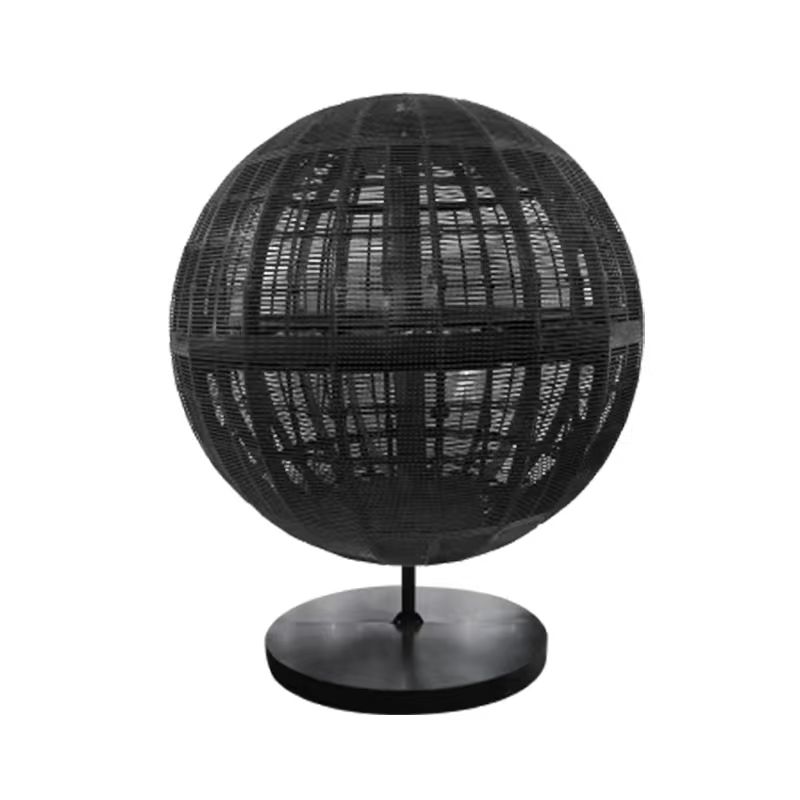
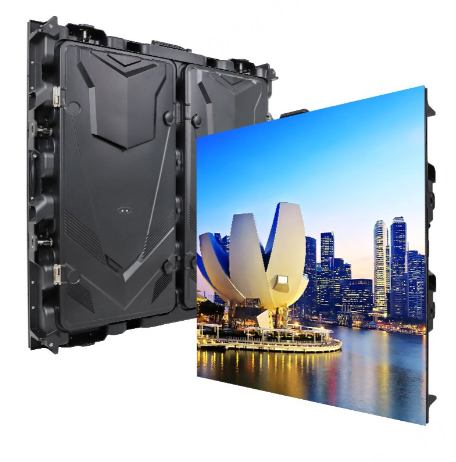
Indoor displays have now become a standard and commonly adopted form of visual communication for businesses aiming to engage with their audience. They are highly effective in retail stores, conference halls, sports stadiums, entertainment venues, and numerous other settings. With sharp and bright indoor LED screen displays, you can easily draw the attention of your customers.
The objective of this article is to assist you in making a purchase that aligns with your specific needs and budget. It will cover various aspects of indoor LED screens, including their types, specifications, and costs. Let's begin.
1.What is an Indoor LED Screen?
An indoor LED screen is capable of presenting high-quality visual content. It should be utilized in appropriate lighting conditions where the display doesn't require the same level of brightness as an outdoor LED screen. Indoor LED screens typically have a brightness range between 800 nits and 1500 nits, which is sufficient to offer a clear image.
These screens don't need the weatherproofing that outdoor LED screens do. Indoor LED screens are lighter in weight, straightforward to install, and well-suited for close viewing. They feature a smaller pixel pitch, enabling them to display sharper images for viewers who are nearby.
They can be employed in retail advertising walls, as backdrops on concert stages, for displays at live events, during corporate presentations, or in museum exhibits. All these applications share the common feature of indoor LED screens, which allows you to convey messages, showcase videos, and/or present real-time information in a way that keeps your audience engaged.
2.Indoor LED Screen Types
Not all indoor LED screens are designed to fulfill the same functions. Here's a breakdown of what each type excels at, what you can expect from them, and when to select them.
2.1 Fixed Indoor LED Screens
A fixed indoor LED display remains stationary in a particular position. It is mounted on a wall or frame, properly aligned, and then connected to power and data sources. We commonly see this type of display in shopping malls, control rooms, hotel lobbies, and meeting areas.
Since it isn't moved around like a mobile display, it has a neat appearance and offers easy front access for maintenance. Moreover, you have greater control over lighting, sound, and cable management.
2.2 Rental Indoor LED Screens
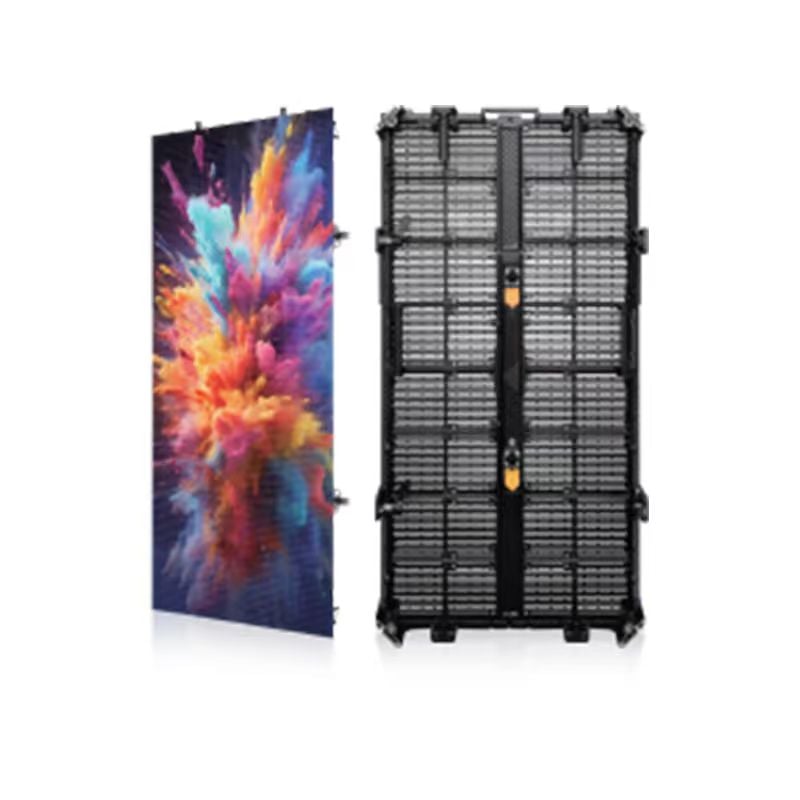
A rental indoor LED screen consists of modular assembled panels that can be locked together and disassembled with ease. This makes it highly suitable for concerts, trade show booths, and temporary stages. Each panel is designed for quick setup and can also be transported conveniently. A rental indoor LED screen also provides the option to adjust the size and shape of the display, making it adaptable to various venues.
2.3 Transparent Indoor LED Screens
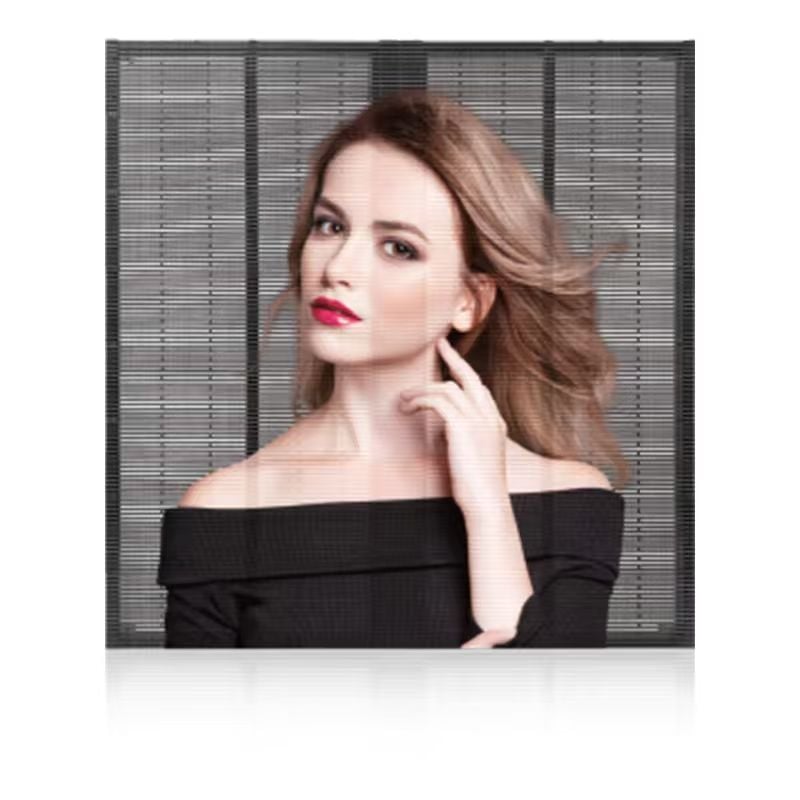
Transparent indoor LED displays allow light to pass through the viewing surface, thus making the store interior or the area behind it visible. They are an excellent choice for advertising in retail windows as they permit daylight to pass through the display without obstructing sight lines.
These transparent displays present digital content with an open and see-through look. They are popular in retail storefronts and for glass installations.
2.4 Flexible or Curved Indoor LED Screens
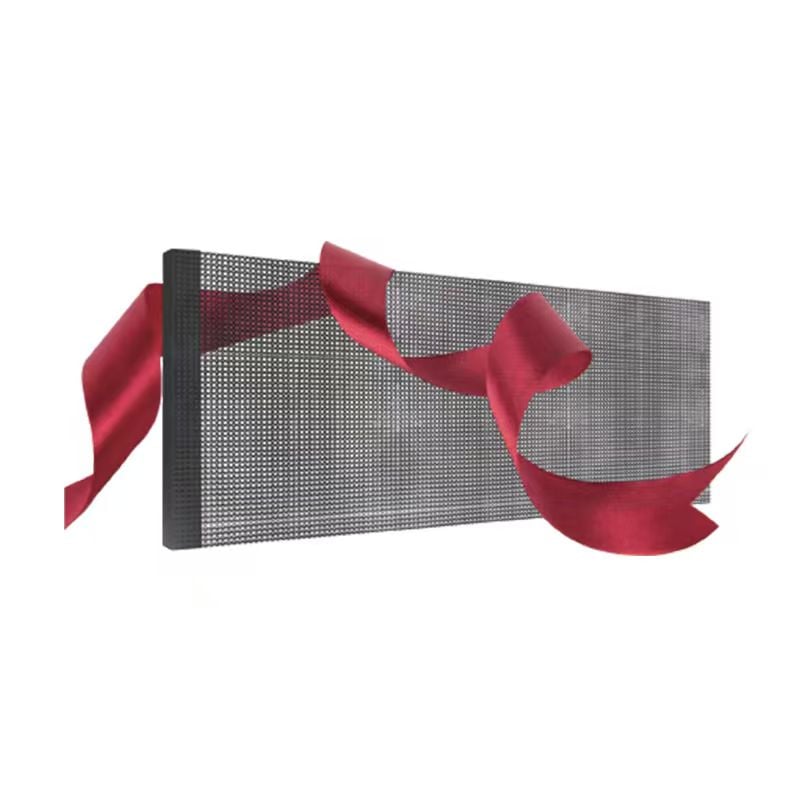
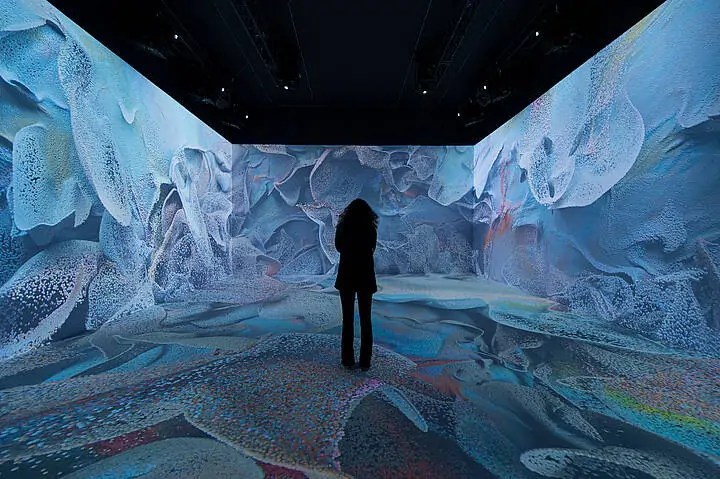
Curved indoor LED screens can be bent to conform to columns, arcs, or to create other creative shapes. You can modify the shape of the screens according to the architectural requirements of a space. In this way, you can design immersive displays without any visible seams or hard edges breaking up the image.
Flexible LED screens are frequently found in museums, experience centers, and high-end retail stores, where they are an integral part of the overall experience.
2.5 All-in-One LED Displays
All-in-one LED displays come as a complete package that includes a screen, a controller, speakers, and sometimes a stand or wall bracket. These types of indoor LED screens offer a plug-and-play functionality. They are ideal for boardrooms, classrooms, and hotels. All-in-one displays can be mounted, plugged into the wall, and start presenting content within minutes. There's no need to purchase additional processors or audio systems.
2.6 Ultra-Fine Pitch Screens
Ultra-fine pitch screens have a very narrow pixel spacing or pitch and are designed for close viewing. They are beneficial when you need to display sharp details. You'll typically find ultra-fine pitch screens in places where images require a high level of detail, such as control rooms, executive briefing centers, and broadcast studios. A smaller pixel pitch allows for clear images when viewed up close, and it also provides the possibility of using a larger pixel pitch in larger rooms to save on screen costs without sacrificing the viewing experience.
3.Key Features and Specifications to Consider
When deciding on an indoor LED screen, understanding the primary technical characteristics will help you narrow down your options to the most suitable screen type and pixel pitch based on your space and viewing distance.
3.1 Pixel Pitch
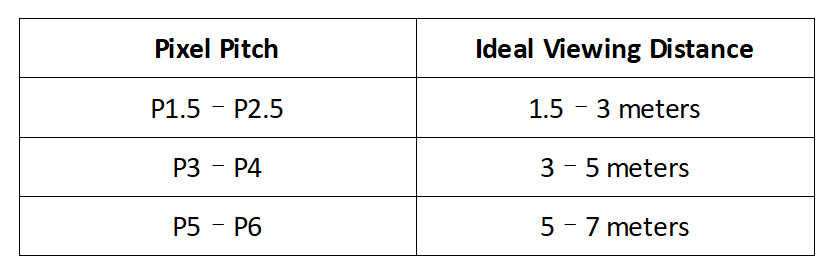
The pixel pitch refers to the distance in millimeters from the center of one LED pixel to the center of the adjacent LED pixel. A smaller pixel pitch will result in a sharper image when viewed at a close distance, while a larger pixel pitch is more appropriate for longer viewing distances.
3.2 Brightness Levels
Indoor LED screens usually have a brightness level ranging from 800 to 1,500 nits. Lower brightness is suitable for darker meeting-room environments, while higher brightness should be considered for retail settings that are brightly lit or have higher levels of indoor lighting. Selecting an appropriate brightness level will ensure there's no glare and that the colors appear natural as intended.
3.3 Refresh Rate
The refresh rate indicates how many times the image on the screen is refreshed within a second. If it's crucial for the display to appear smooth visually (for example, if the display might be filmed), a refresh rate of 3840 Hz or higher should be taken into account, along with looking for a lower refresh rate. A higher refresh rate leads to less flicker and provides a crisper image, especially when magnified.
3.5 Viewing Angle
The viewing angle determines how far to the side a person can be and still see a clear image. A viewing angle range of 140° to 160° means that viewers can still see the content reasonably well even when not looking directly at the screen. This is significant in larger spaces like conference halls or retail areas.
3.6 Contrast Ratio
The contrast ratio represents the difference between the brightest white and the darkest black that a screen can display. A higher contrast ratio results in richer colors and deeper black levels, creating a more vivid and easily readable image.
3.6 Energy Efficiency
Energy consumption depends on the quality of the LED chips and the power supply design. Some of the more recent models come with energy-saving modes or are compatible with solar systems. Energy-efficient screens can reduce operational costs, which is particularly important for very large installations or those that are permanent or always-on displays.
4.Benefits of Indoor LED Screens
Indoor LED screens are a preferred choice for businesses, venues, and event organizers who need to communicate messages clearly and with impact. RMGLED recognizes that the right display can do more than just show images; it can attract attention, convey information effectively, and enhance brand presence.
4.1 Captivating Visual Quality
An indoor LED screen presents bright, vivid visuals that stand out effectively in busy or high-traffic environments. High color accuracy ensures that video or photographic images look natural on the LED screen, with sharp definition that makes text readable from a distance.
This high-quality visual experience helps draw attention to your overall message, product, information, or brand. In busy settings like retail stores, airports, or event halls, a good visual experience can make the difference between getting noticed or being overlooked.
4.2 Versatility for Multiple Content Types
LED displays can showcase almost any kind of digital content. Videos, animations, static images, real-time data feeds, and social media feeds can all be presented.
For instance, a retail store can rotate product promotions, while a corporate event can use the displays for showing schedule information, speaker bios, or conducting live polls.
Most importantly, the flexibility allows for on-the-fly content changes, enabling you to respond promptly to events, seasons, or promotions without the delays and expense associated with printing new marketing materials.
4.3 Real-Time Updates for Maximum Relevance
One of the advantages of an indoor LED display is the ability to quickly change the content when necessary. There are various ways to schedule messages for specific times of the day, and depending on the software used, changing or updating content can be done instantly to take advantage of new opportunities. This flexibility is extremely valuable for venues that host multiple events or for businesses running time-sensitive promotions.
4.4 Long Lifespan and Consistent Performance
High-quality indoor LED screens are built to last, often having a lifespan of 50,000 - 100,000 hours before any noticeable degradation in brightness or color occurs. As a result, if your investment is worthwhile, the screen will serve you for many years without the need for replacement. The durability of LEDs also ensures consistent performance across the entire display.
4.5 Cost-Effective Repairs
Indoor LED screens are constructed with a modular structure, meaning that each panel can be repaired or replaced independently. If a small section fails, you can simply swap out that section instead of replacing the entire display. This can minimize downtime, reduce repair costs, and allow for smooth maintenance of the screen throughout its operation with minimal disruptions.
4.6 A Strategic Asset for Engagement and Branding
When you combine high visual impact, flexibility in content display options, and long-term reliability, an indoor LED screen becomes more than just a display technology. It serves as a strategic asset for engaging with your audience and building your brand. It helps connect with audiences to reinforce messaging and create a lasting impression in any indoor environment.
5.Installation and Maintenance Suggestions
To ensure optimal performance and longevity of your indoor LED screen, it's essential to install and maintain it following established best practices.
5.1 Location and Placement
Select the orientation, placement, and mounting height of the screen to maximize visibility without impeding movement or causing glare. Determine the height based on whether the audience will be viewing from a standing or seated position. In larger spaces, it's advisable to consider the viewing angles so that all viewers can clearly see the content from their respective locations and angles.
5.2 Structure and Safety
The frame or structure supporting the screen or the mounting mechanism must be able to bear the total weight of the screen and withstand any vibrations during operation. Although indoor mounted units are not exposed to wind or rain, it's still vital to secure them properly to prevent accidental movements. Use certified mounting structures and adhere to the weight limits recommended by the manufacturer.
5.3 Ventilation and Overheating
LED screens generate heat during normal operation. To allow the heat to dissipate or vent properly, make sure there's sufficient space behind and around the display. If your installation is in a completely enclosed setup, consider installing fans or vents to help maintain safe operating temperatures and avoid any performance degradation.
5.4 Cleaning and Inspection
Just like any display, you'll want to keep your indoor LED screen free of dust. Use soft, lint-free cloths or soft brushes to remove dust. Avoid using harsh chemicals for cleaning and high-pressure cleaning methods, as these can easily damage the LEDs. In addition to dust removal, take this opportunity to conduct regular inspections of cabinet connections, wiring, and power supply. By detecting loose or worn materials early, you can address them more quickly before they become bigger issues.
5.5 Updating Software and Content
Keep your content management system (CMS) up to date. Updated software enhances performance, improves security, and ensures compatibility with new file formats. Regularly update your content to keep it relevant and engaging for your audience.
6.Cost Factor of Indoor LED Screens
The price of purchasing an indoor LED screen depends on multiple factors. One of the most significant is the size – larger displays require more panels, which increases both material costs and installation costs. The pixel pitch also affects the cost. Smaller pitches result in better quality images but use more LEDs per square meter, thus driving up the cost.
Brightness levels and refresh rates are also factors to consider as they can impact costs. Higher brightness is useful in bright environments but comes at a higher cost due to the use of more powerful LED chips. Similarly, a screen with a refresh rate of 3,840 Hertz or higher may cost more than one with a refresh rate of 60 Hertz, but it will provide better results when filmed and offer smoother motion.
The type of technology is also important. For example, fixed indoor LED displays are usually much cheaper when they are intended for permanent installation, while rental units may cost more upfront due to their more robust, modular design and the inclusion of physical features that protect the display. Transparent variants, flexible products, and other ultra-fine pitch units are also premium products and are priced accordingly based on their functionality.
When comparing prices, remember that it's not always about getting the lowest price but rather assessing the value. A higher quality and more capable indoor LED screen will offer better image performance, longer product life cycles, and lower maintenance costs, making it a better investment in the long run.
6.1 What Does Contrast Ratio Mean?
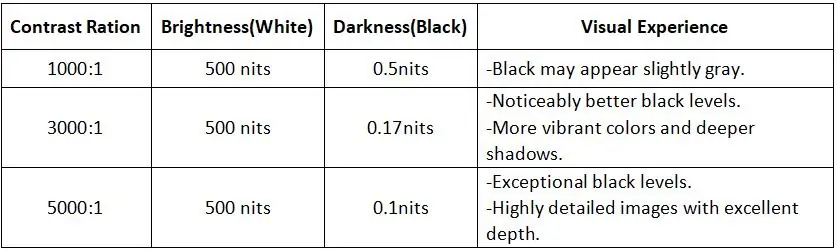
The screen contrast ratios indicate that the brightest white is 1000/3000/5000 times brighter than the darkest black. The higher the display contrast ratio, the greater the difference between the light and dark areas, resulting in more vivid and detailed images.
6.2 Visual Experience Comparison
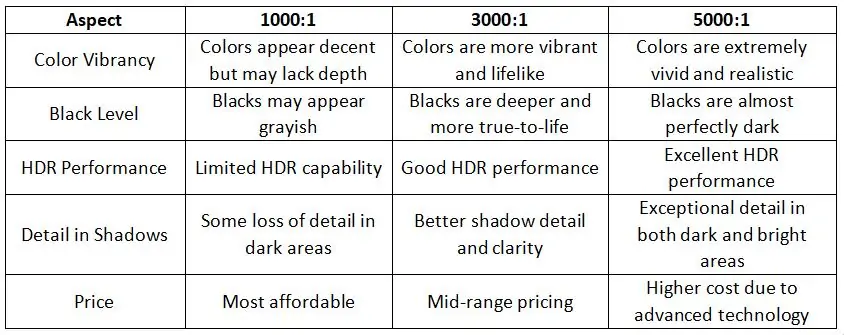
6.3 Key Difference
6.4 Real-World Application
- 1000:1 contrast ratio is suitable for everyday tasks such as browsing, streaming, and office work.
- 3000:1 contrast ratio is great for immersive gaming, movie watching, and creative work.
-
5000:1 contrast ratio is ideal for professional environments where color accuracy and detail are of utmost importance, such as graphic design, video editing, and luxury home theaters.
7.What Factors Influence Screen Contrast Ratio?
Numerous factors affect the screen contrast ratio, including display technology, ambient light, and screen characteristics.
7.1 Display Technology
LCD screens rely on backlighting and have a relatively low contrast ratio, with blacks not appearing deep enough. OLED screens have self-illuminated pixels that can completely turn off black pixels, resulting in extremely high contrast. The contrast ratio of LED displays depends on the quality of the LEDs and the driving technology, with high-end products typically having a higher screen contrast ratio.
7.2 Display Processing
Setting the brightness too high can make blacks appear grayish and reduce the contrast; setting it appropriately will improve the contrast. Color calibration ensures accurate display and prevents color variations from affecting the display contrast ratio. High Dynamic Range (HDR) content showcases high contrast more effectively.
7.3 Screen Treatment and Features
An anti-reflective coating reduces the reflection of ambient light and improves the contrast ratio. A matte screen scatters light and minimizes reflections, while a mirror screen reflects significantly in bright light and reduces the contrast. High resolution and pixel density make images more detailed, indirectly enhancing the perception of contrast.
7.4 Environment and Screen Inner Structure
Strong ambient light reduces the performance of blacks on the screen and affects the display contrast ratio. In darker environments, the contrast is usually higher. High-quality driver circuits and signal processing technologies provide more precise control over brightness and color, thereby enhancing the contrast.
8.How to Improve LED Display Contrast Ratio?
Improving the contrast ratio of LED displays can be achieved through hardware optimization, software adjustment, and environmental control. The following are specific measures:
8.1 Hardware Optimization
High-Quality LED Module: Select LED modules with higher inherent contrast to reduce reflections, such as LED beads with black masks.
Improve Packaging Technology: Adopt COB (Chip on Board), flip chip technology, or other packaging technologies to minimize light scattering and enhance contrast.
Local Dimming: Incorporate local dimming technology into the LED display to dynamically adjust the brightness of different areas, making the darker parts darker and the brighter parts brighter.
Optimized Optical Design: Use high-contrast optical lenses to reduce the halo effect. Optimize the alignment and spacing of LEDs to prevent light overflow.
8.2 Software Adjustment
Color Calibration: Utilize professional calibration tools or software to regularly calibrate the color and brightness of the display to ensure accurate representation of black and white.
Dynamic Contrast Adjustment: Dynamically adjust the brightness and contrast of the screen through software algorithms to adapt to the requirements of different scenes.
HDR Support: Optimize picture details using HDR algorithms to make the dark and bright areas more distinct.
8.3 Environment Control
Reduce Ambient Light Interference: Choose an LED display with an anti-reflection coating or a matte surface treatment. In brightly lit environments, use a light shield or adjust the display angle to decrease the reflection of ambient light.
Control Ambient Brightness: Avoid installing the display near direct light sources or strong light sources. Using LED displays in a dark environment can significantly enhance the perception of contrast.
8.4 Content Optimization
Using High Contrast Content: Play optimized high-contrast content to fully utilize the display's capabilities. Avoid using low-contrast or washed-out images.
Adjusting Content Brightness: Adjust the content brightness according to the ambient light to ensure a clear picture with a moderate screen contrast ratio.
8.5 Maintenance and Optimization
Regular Cleaning: Dust and dirt can reduce the contrast of the LED display, so clean the surface regularly to maintain the LED screen.
Check the Hardware Status: Regularly check the LED beads and driving circuits to ensure consistency in brightness and color. Replace aged or damaged LED modules to prevent them from affecting the overall display contrast ratio.
9.How to Choose the Best Contrast Ratio?
Selecting the best contrast ratio for your LED display depends on several factors, including the intended use, viewing environment, and the type of content you plan to display. Here's a guide to help you determine the most suitable screen contrast ratio for your needs:
9.1 Consider the Display’s Intended Use
For Home Entertainment (Movies and TV Shows): OLED displays, with their infinite contrast ratios, are perfect for this purpose, although Mini-LED or QLED displays with high contrast ratios (around 10,000:1 or more) also perform well.
For Gaming: A high contrast ratio improves the visibility of shadow details and enhances the overall gaming experience. A contrast ratio of at least 5,000:1 is recommended for gaming displays.
For Professional or Business Use (Presentations, Work): In these settings, color accuracy and sharpness are more important than extreme contrast. A moderate contrast ratio of 1,000:1 to 3,000:1 should be sufficient for standard office tasks.
For Outdoor or Public Displays: Contrast ratio is crucial for visibility, especially in direct sunlight. An IP-rated display with a high contrast ratio (around 3,000:1) ensures better readability.
9.2 Assessing the Viewing Environment
Bright Settings: When positioning your display in a brightly lit room or close to windows, it's advisable to give preference to a higher contrast ratio, perhaps around 5,000:1 or even better. This guarantees that the image remains visible even under difficult lighting circumstances.
Dark Settings: In the case of home theaters or other locations where the display will be utilized in a dim environment, seek a high contrast ratio (10,000:1 or greater), preferably with OLED technology. This enables the attainment of true black levels and outstanding detail in dark scenes.
9.3 Seek Technologies with True Black Capabilities
LCD/LED with Local Dimming: These allow certain sections of the screen to become darker, which assists in achieving better black levels. The display contrast ratio typically ranges from 3000:1 to 10,000:1.
OLED: OLED displays offer the top-notch contrast ratio as they can switch off individual pixels, generating true blacks and infinite contrast ratios. This makes them perfect for applications where the depth of color and image quality are of prime importance.
Mini-LED: If you aim to have the best of both aspects – enhanced contrast and brightness – Mini-LED technology can provide excellent contrast ratios (up to 50,000:1 or more) while still maintaining excellent brightness. Hence, it's well-suited for bright environments.
QLED: Although QLED isn't as flawless as OLED when it comes to black levels, it provides excellent color reproduction and contrast ratios (usually around 10,000:1). This makes it a powerful option for bright rooms or when you desire vibrant and attention-grabbing visuals.
9.4 Budgetary Consideration
Displays with a higher contrast ratio (such as OLED or Mini-LED) generally come at a higher cost. You need to balance your budget with your requirements – avoid overspending on the contrast ratio if it isn't necessary for your usage.
9.5 Key Recommendations
For the Majority of Users: A contrast ratio within the range of 1000:1 to 3000:1 is adequate.
For Enthusiasts/Gamers: Look for a contrast ratio of 3000:1 or higher, or consider opting for OLED or Mini-LED.
For Professionals: Place greater emphasis on color accuracy and static contrast ratio rather than dynamic contrast.
10.Frequently Asked Questions
- ls 1000000:1 a Good Display Contrast Ratio?
Yes, a 1,000,000:1 contrast ratio is excellent, but it’s likely a dynamic contrast ratio, which measures the display’s ability to adjust brightness in different scenes. For true image quality, focus on the static contrast ratio (typically 1000:1 to 3000:1 for most displays).
- What is the Lowest Contrast Ratio?
The lowest usable contrast ratio for most displays is around 200:1 to 300:1. Below this, images may appear flat, with the poor distinction between dark and light areas, making it hard to see details.
- ls High Contrast Good for Eyes?
High contrast is not necessarily good for the eyes. While it can make images appear sharper and more vivid, excessively high contrast, especially in poor lighting conditions. It’s important to balance contrast with ambient lighting and adjust settings to a comfortable level for prolonged use.
- Should Contrast be Higher than Brightness?
Yes, generally, contrast should be higher than brightness for optimal viewing. Higher contrast ensures better distinction between dark and light areas, enhancing image clarity and detail. However, both settings should be balanced to avoid eye strain—excessive brightness with low contrast can wash out images, while too much contrast with low brightness can make details hard to see.
11.Conclusion
We hope that, through the analysis presented in this article, you can gain a deeper understanding of the significance of the contrast ratio and make a more well-informed choice when selecting an LED video wall, thereby enabling you to relish a superior visual experience.
In brief, the contrast ratio is not merely a numerical value in a display's technical specifications. It has a direct impact on the vividness and detail of an image. Whether it's for daily office tasks, entertainment viewing, or professional design work, choosing the appropriate contrast ratio can remarkably enhance your visual experience.
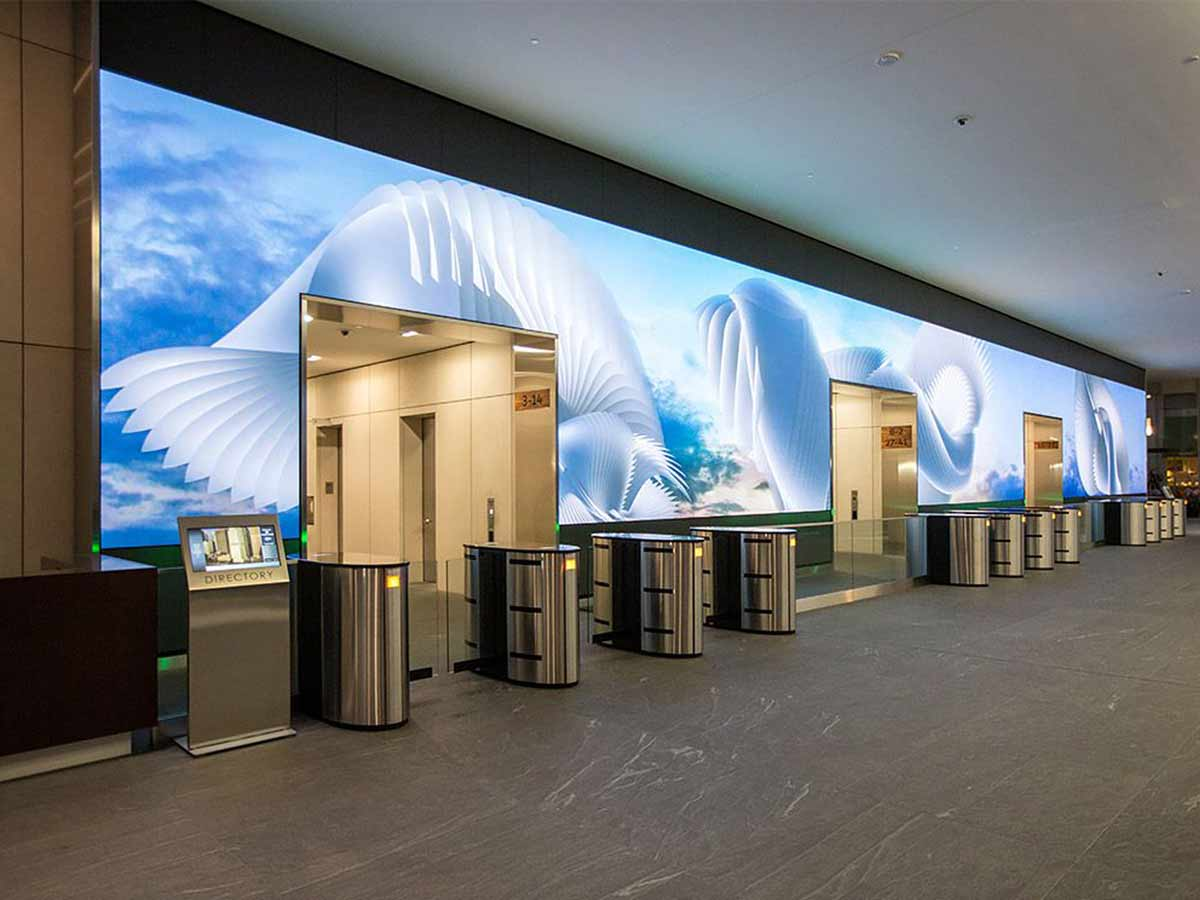
 Hot News
 EN
EN